Meter Status Changes
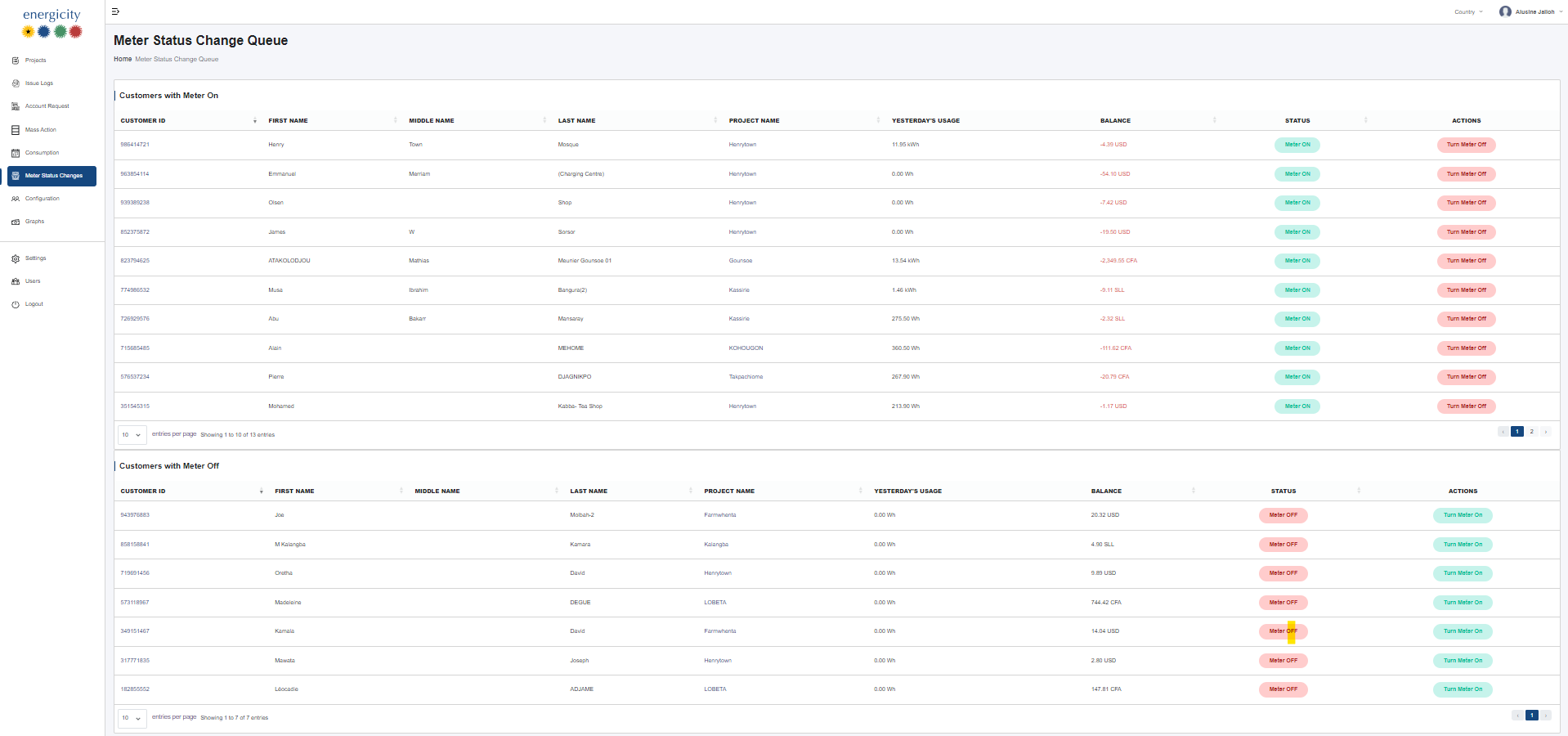
The Meter Status Changes section allows users to remotely control the operational state of meters — turning them on or off in real time.
Overview
This page is divided into two main sections: - Customers with Meter On - Customers with Meter Off
Each section lists customers whose meters are eligible for a status change.
Customers with Meter On
This table displays customers whose meters are currently on and can be turned off. Clicking the Turn Meter Off button immediately initiates the disconnection process.
If an action is in progress, the Status changes to Turning Meter Off, indicating a pending command.
Customers with Meter Off
This table shows customers whose meters are off and can be turned on. Clicking the Turn Meter On button will reconnect the meter.
Sorting & Filtering
- All column headers (except the Actions column) support sorting and filtering to help users easily locate specific records.
Functional Notes
- Immediate Execution: Meter control actions (on/off) are executed immediately upon clicking the respective button.
- Grouped Tables: Meters are categorized based on their current status for clarity and ease of management.
- Pending States: A
Turning Meter Offstatus indicates that the action has been initiated but not yet completed.