E-Vehicles Configuration Documentation
The E-Vehicles Configuration page provides administrators and managers with the ability to register, manage, and monitor all electric vehicles used in the system. These include e-bikes and other vehicle types used in service delivery or operations.
Interface Overview
The interface displays a list of all registered vehicles, including their identifiers, license plate numbers, availability status, and action controls.
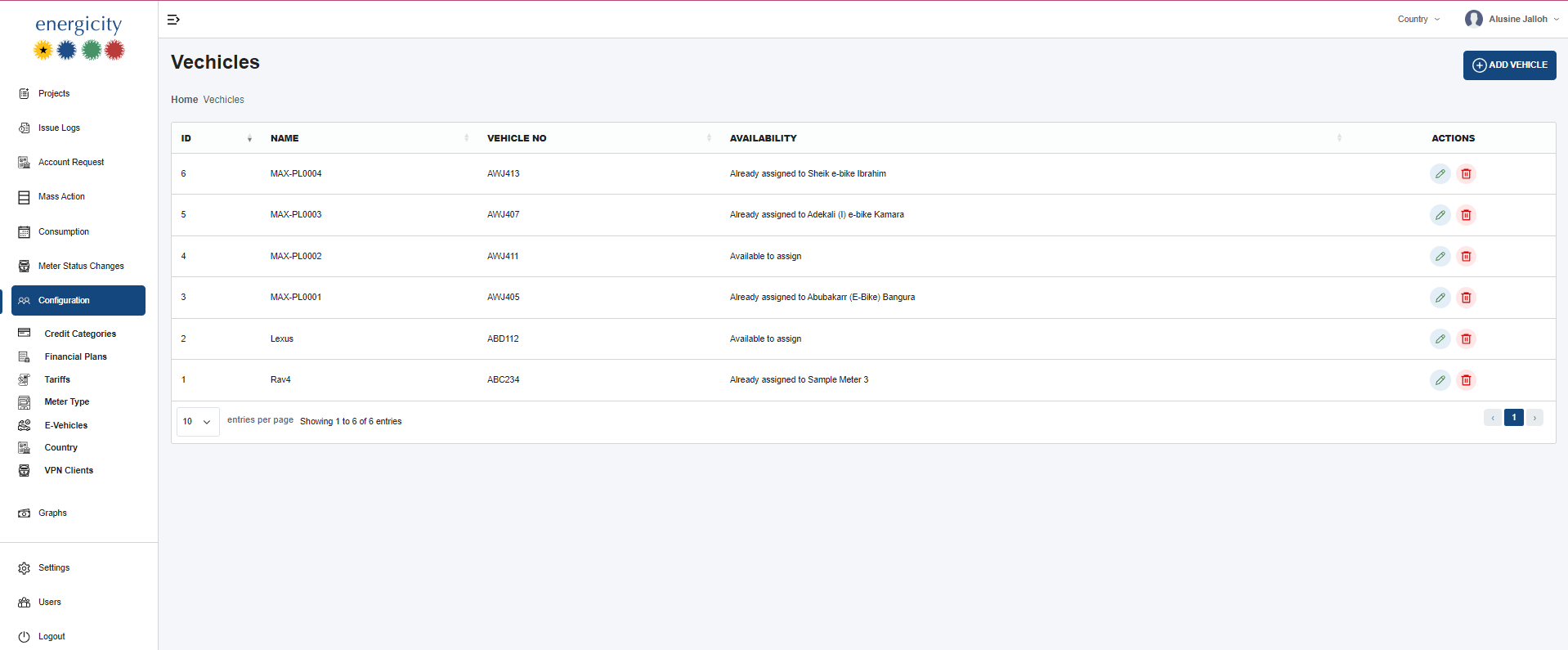
Table Columns
- ID: A unique identifier for each vehicle entry.
- Name: The system name for the vehicle (e.g., MAX-PL0001).
- Vehicle No: The official license plate number of the vehicle.
- Availability: Indicates whether the vehicle is currently assigned or available.
- Actions: Includes Edit and Delete controls for each record.
Functional Details
- Vehicles are registered by administrators to maintain a list of all e-vehicles in use.
- Each vehicle includes a license plate number used as the unique identifier.
- The Availability status is automatically determined:
- If a vehicle is assigned to a user/customer, it is marked as Already assigned.
- If it is not assigned, it is marked as Available to assign.
- The Edit button allows administrators to update the vehicle's information.
- The Delete button permanently removes the vehicle from the system.
Only users with administrative roles have the permission to edit or delete vehicle configurations.