Mass Actions – Mass Update Customers
Overview
This section allows staff to bulk update existing customer records using a structured CSV template. This ensures that mass updates are efficient and reduce the risk of manual errors.
User Access
- Access Restriction: Only authorized admin staff can perform updates in this section.
Interface Breakdown
1. CSV Upload Area
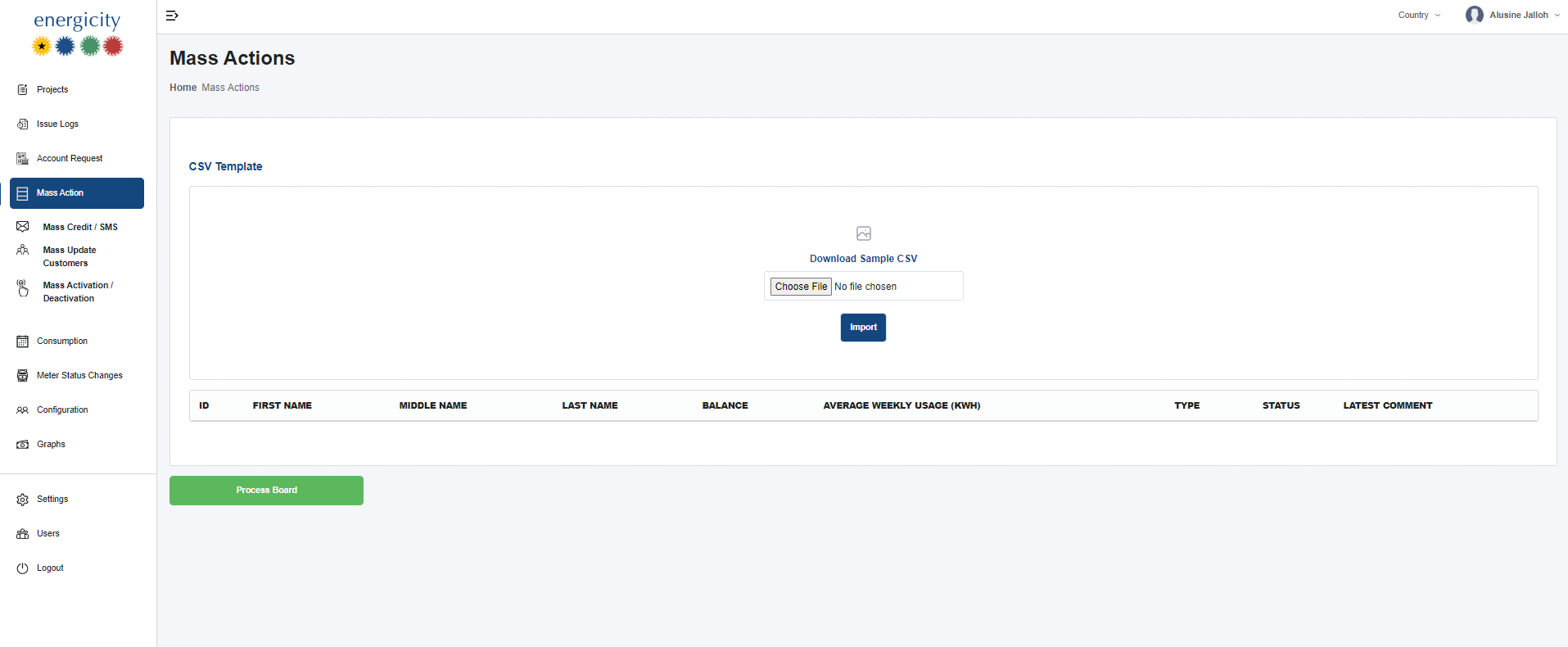
- Download Sample CSV: Staff can download a structured template to guide what fields can be updated (e.g., phone number, server, IP address, meter type, etc.).
- Choose File + Import Button: Once the template is filled with customer data, it is uploaded here for processing.
⚠️ File must strictly follow the provided format for a successful upload.
2. Data Preview Table
After uploading, a preview of affected customer records is shown with the following columns:
- ID
- First Name
- Middle Name
- Last Name
- Balance
- Average Weekly Usage (kWh)
- Type – The type of connection (e.g., residential, business)
- Status – Whether the customer is currently active/inactive
- Latest Comment – Most recent internal comment on the customer
🛈 These fields are for reference only; not all are editable via CSV.
3. Process Board
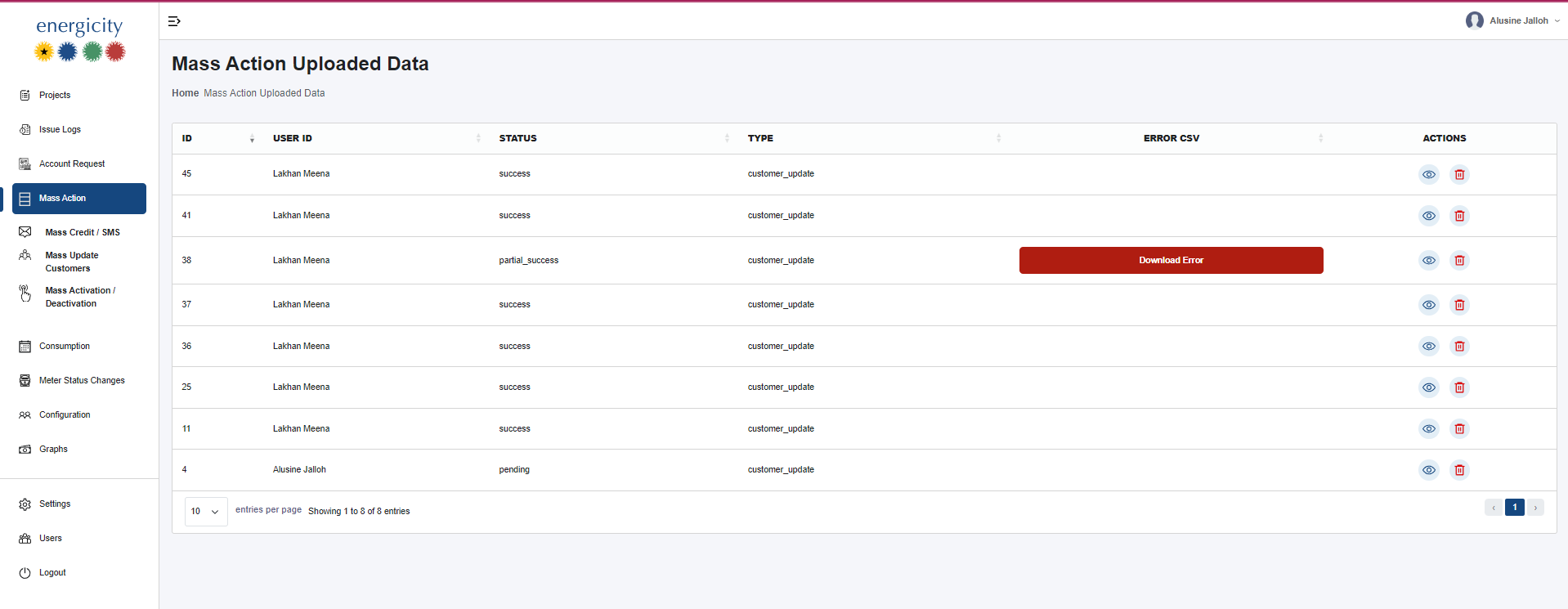
- Opens a summary of previously uploaded update files.
- Displays:
- Upload status (Success, Partial Success, Failed)
- Errors encountered
- A log of what was updated and when
Functionality Workflow
- Admin downloads the sample CSV.
- Populates it with update data (e.g., phone number, server, IP address).
- Uploads the CSV using Choose File.
- Clicks Import to initiate validation.
- Records are reviewed before final confirmation.
- Final status and logs are accessible on the Process Board.
Validations
- Customer ID and Project ID must match existing records.
- If mismatches occur, the system throws an error and an error file is downloadable showing problematic fields.
Notes
- Only fields in the CSV template are accepted.
- The preview table provides context but not all fields are editable.
- Failed records will not be updated and are flagged for review.