Customer Details – Status Tab Documentation
Overview
The Customer Details page (Status tab) provides a complete operational view of a single customer’s meter, account state, and activity. It is divided into five data sections—Consumption Details, Payments, Credits, Messages, and Comments—plus a header with real‑time meter status. Administrators use this page to monitor usage, reconcile balances, add credits, send or review messages, and keep a recorded history of comments.
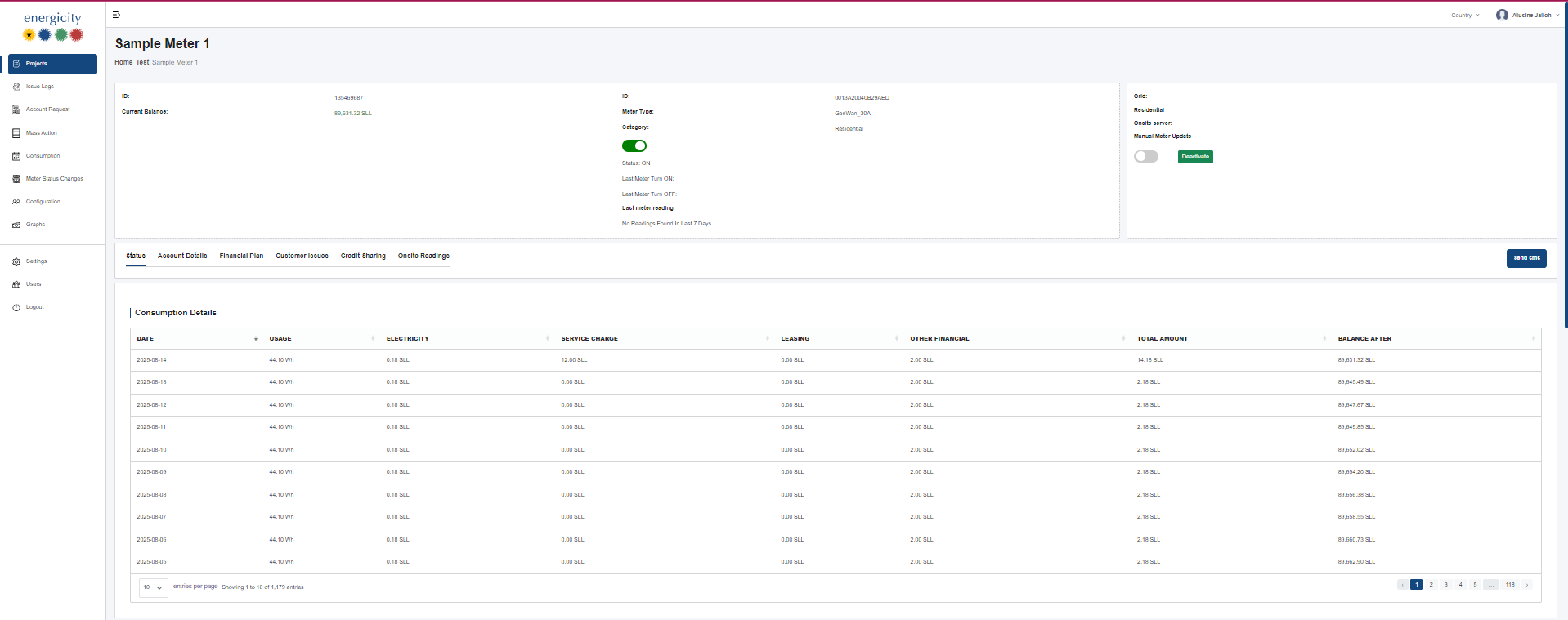
Header Summary Card
Located at the top of the page, the header summarizes live account and meter information.
- Left block: ID (customer/meter identifier) and Current Balance.
- Middle block: Meter ID, Meter Type/Model, Category (e.g., Residential), Status (ON/OFF), Last Meter Turn ON/OFF, Last Meter Reading and a 7‑day reading note.
- Right block: Grid (e.g., Residential), Onsite server value, Manual Meter Update toggle, and a Deactivate button (if applicable).
- Page‑level actions: a Send SMS button appears near the section tabs for quick customer outreach.
Tabs
Tabs across the top switch between feature areas. In this view the Status tab is active. Other tabs typically include: Account Details, Financial Plan, Customer Issues, Credit Sharing, and Onsite Readings.
1. Consumption Details
A paginated table of daily metering and billing charges. Columns:
- Date
- Usage (e.g., 44.10 Wh)
- Electricity (energy charge)
- Service Charge
- Leasing
- Other Financial
- Total Amount (sum of charges for the day)
- Balance After (running account balance after the row is applied)
Features: column sorting, page size selector (e.g., 10 / 25 / 50 / 100), and pagination controls. Data is read‑only and sourced from the billing/metering database.
2. Payments
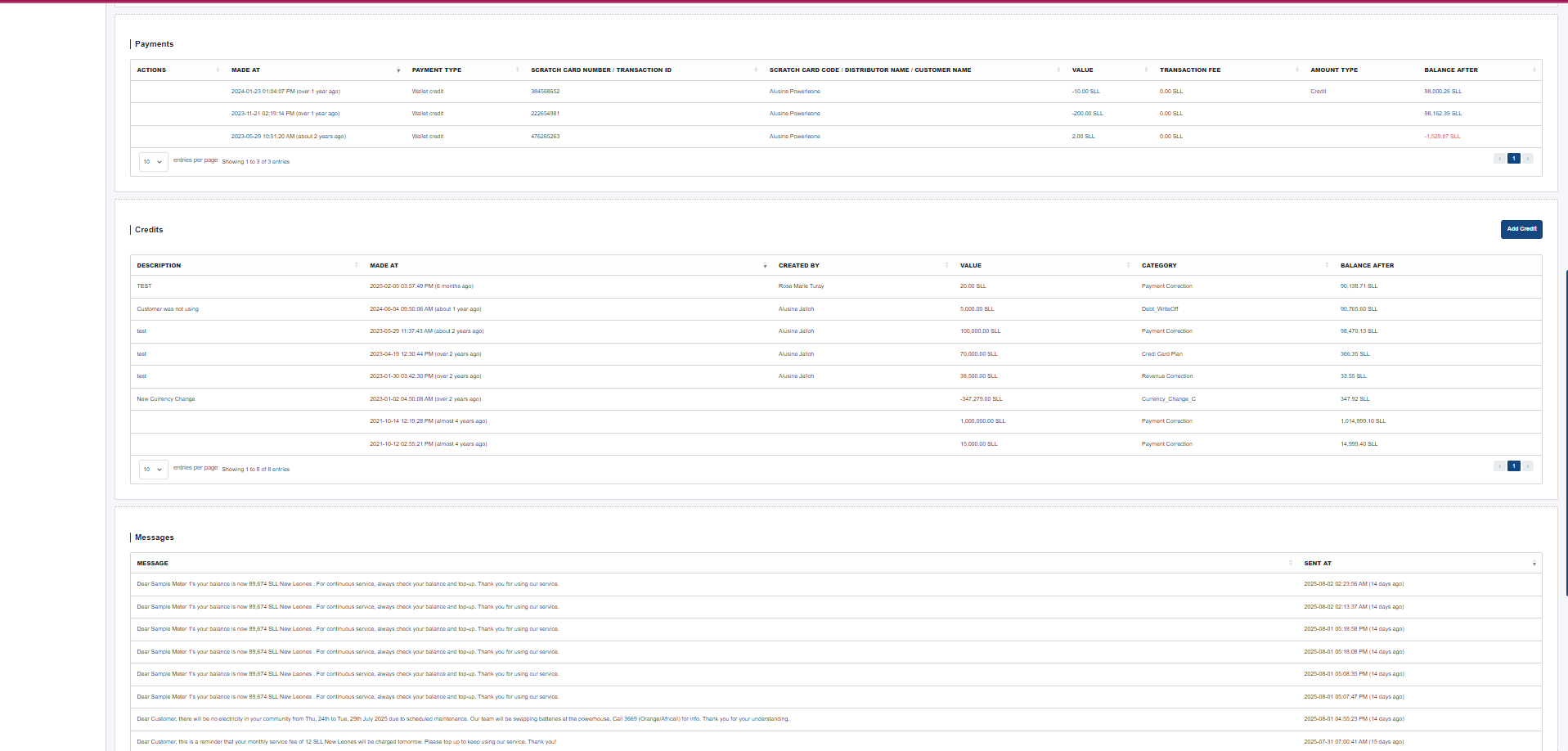
Lists all customer payments/credits affecting the balance. Columns:
- Actions (context actions)
- Made At (date/time)
- Payment Type (e.g., Wallet credit)
- Scratch Card Number / Transaction ID
- Scratch Card Code / Distributor Name / Customer Name
- Value (payment amount)
- Transaction Fee
- Amount Type (e.g., Credit)
- Balance After
Features: sorting by most columns, per‑page selector, pagination. Rows are read‑only; any reversals/edits are handled via separate workflows.
3. Credits
Shows all manual/accounting credit adjustments that affect a customer balance. Columns:
- Description
- Made At (date/time with relative age)
- Created By (staff user)
- Value (credit/debit amount)
- Category (e.g., Payment Correction, Credit Card Plan, Currency Change)
- Balance After
Actions: an Add Credit button opens a form to create a new credit entry. Table supports pagination and per‑page size.
4. Messages
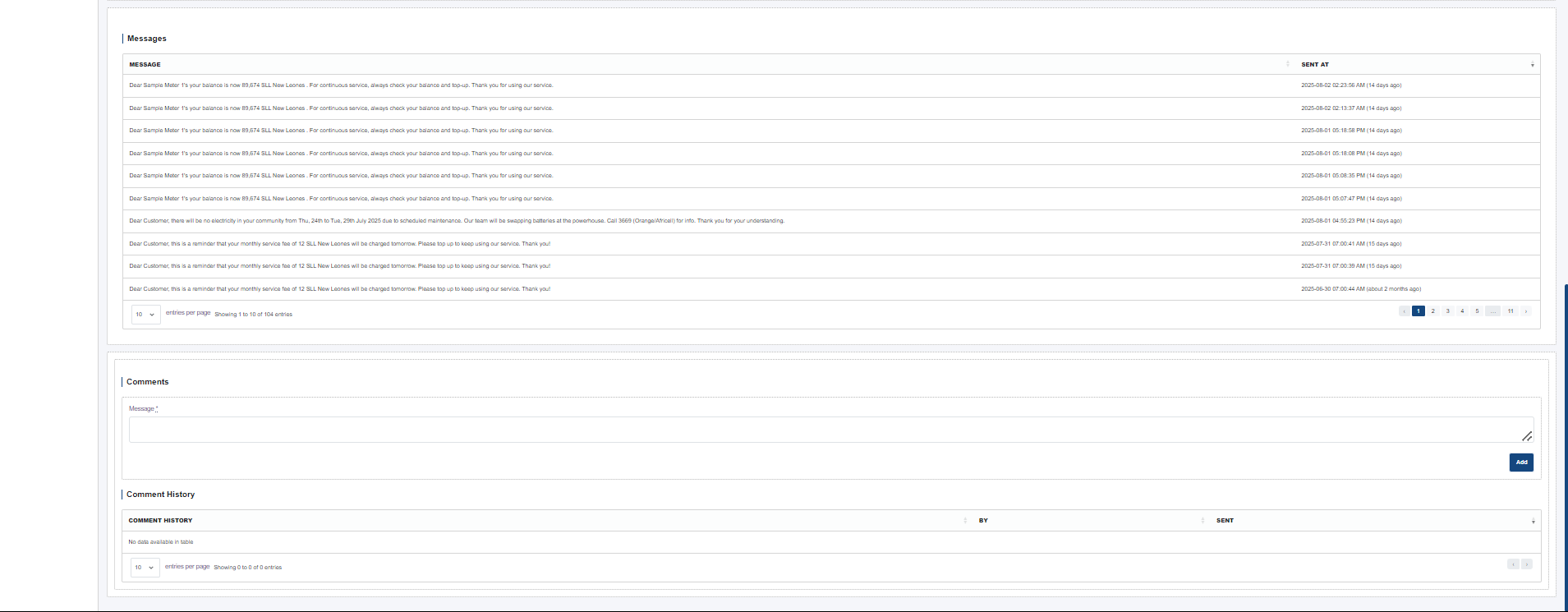
An audit of outbound SMS notices to the customer. Columns:
- Message (body preview)
- Sent At (timestamp with relative age)
Use the Send SMS button in the header to compose and dispatch a new message. The table is read‑only.
5. Comments
The comments section provides internal notes/history for the customer. It includes:
- Add Comment button and a text field/text area for entering a new note.
- Comment History table with columns such as Comment, Created By, and Date.
When a comment is submitted, it is stored in the database and immediately appears in the history list.
Common Behaviors & UX Details
- Sorting & Pagination: Data tables in this tab support sorting (where relevant), selecting entries per page, and navigating pages.
- Live Status Indicators: Status badges and toggles (e.g., Manual Meter Update) reflect the current device/account state.
- Permissions: Actions such as Add Credit, Deactivate, or Send SMS may be permission‑controlled by user role.
- Auto‑Refresh: After successful actions (e.g., add credit, add comment), the view refreshes to show the latest state.
Data & Integrations
All sections pull from the core database (meter readings, billing ledger, payments, messages, and comments). Actions write back to the same data store, ensuring balances and histories remain consistent.