Meter Types Configuration
Section: Configuration > Meter Types
Date: 2025-08-04
Overview
The Meter Types page allows administrators to manage and configure the types of meters and servers used within the system.
- Meters: Represent devices used by customers to track energy usage.
- Servers: Refer to backend systems that host meter information and help locate the customer's assigned meter.
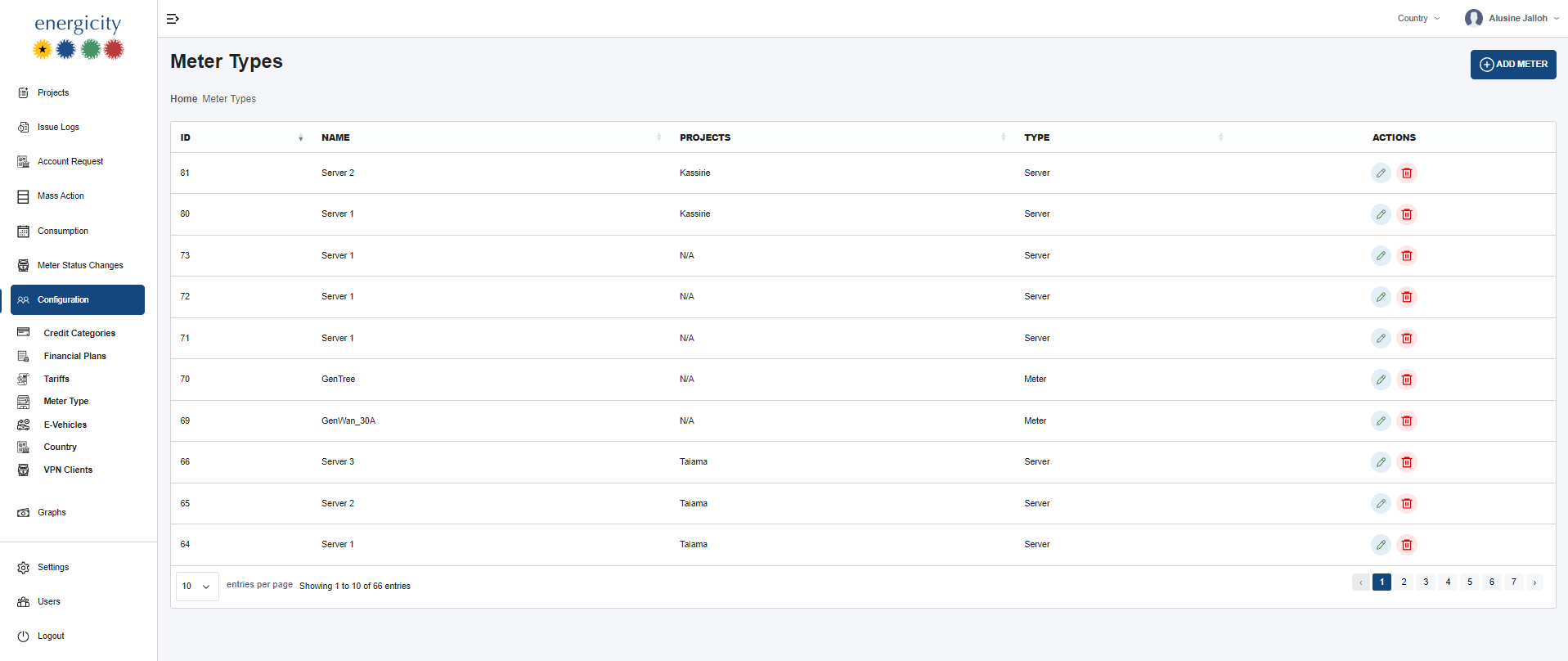
Interface Elements
- ID: Unique identifier for the meter/server entry.
- Name: A label used to identify the meter or server.
- Projects: The community or location where the type is used.
- Type: Either
MeterorServer. - Actions: Admin-only buttons to edit or delete entries. Deletion prompts a confirmation.
Add Meter Button
Clicking the Add Meter button opens a form to create a new meter or server type configuration.
Field Requirements:
- If type is Meter: Only one field is mandatory.
- If type is Server: Three fields are mandatory (including name and IP address).
Permissions and Restrictions
Only administrators can perform edit or delete actions on meter/server configurations. Confirmation is required for deletion.
Interface Screenshot